There’s an old concept called Literate Programming. It never stuck or took off, but it came back to me the other day. Here is the Wikipedia explanation. My summary of this approach is to write a program (source code) as if it were a chapter in a book — primarily text and diagrams, interspersed with bodies of code. Hold that thought.
My latest use of Claude Code has yielded some impressive stuff. For the first time I am working with neural networks for image processing and object identification. I am using a camera, the Oak‑D‑Lite, which has a neural‑net processing chip in the camera itself, thereby offloading a lot of the processing from the attached Raspberry Pi 5. Oak‑D‑Lite is accessed with the DepthAI package.
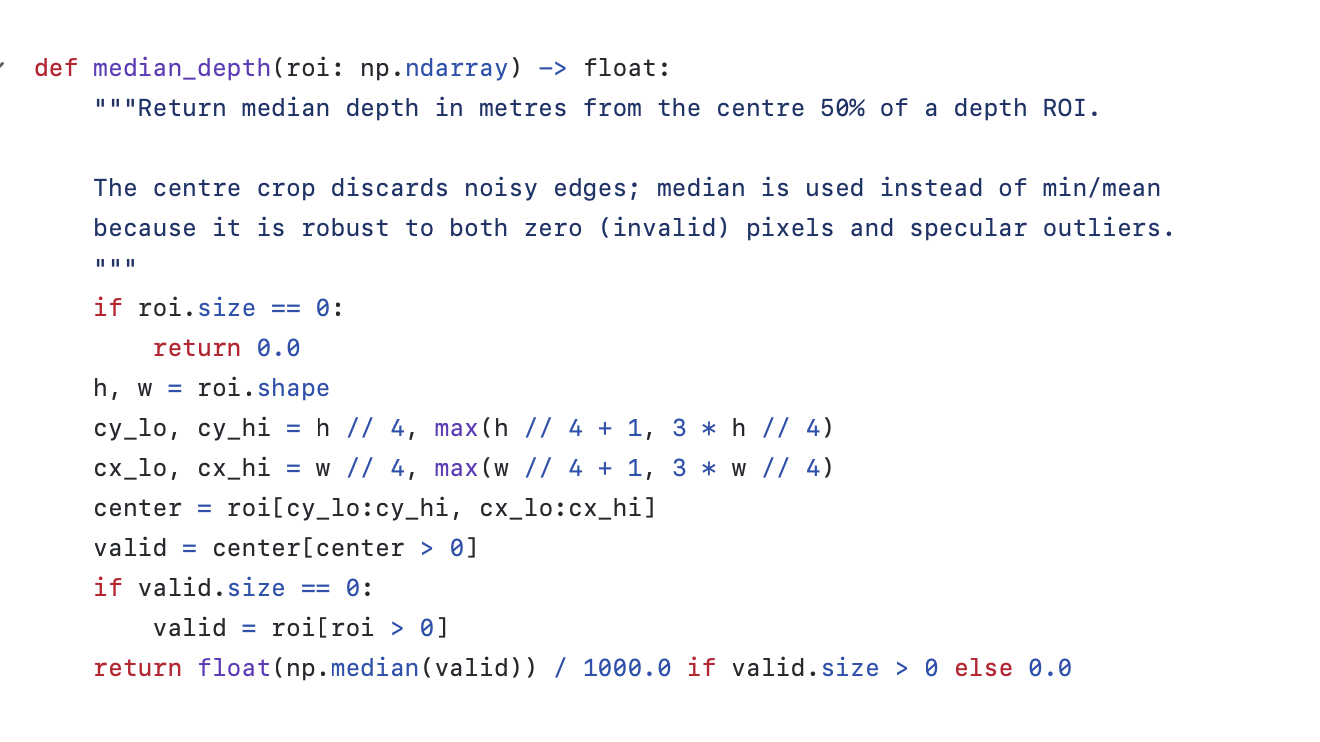
Amazingly, Claude.ai knows DepthAI and the camera and neural nets a lot better than I do. With extensive instructions from me it has written code that works and uses these APIs in very granular ways. I ask it to document the code and it does a nice job of it. Pretty conventional amount of commenting.
Well commented code
Literate Version of the same code
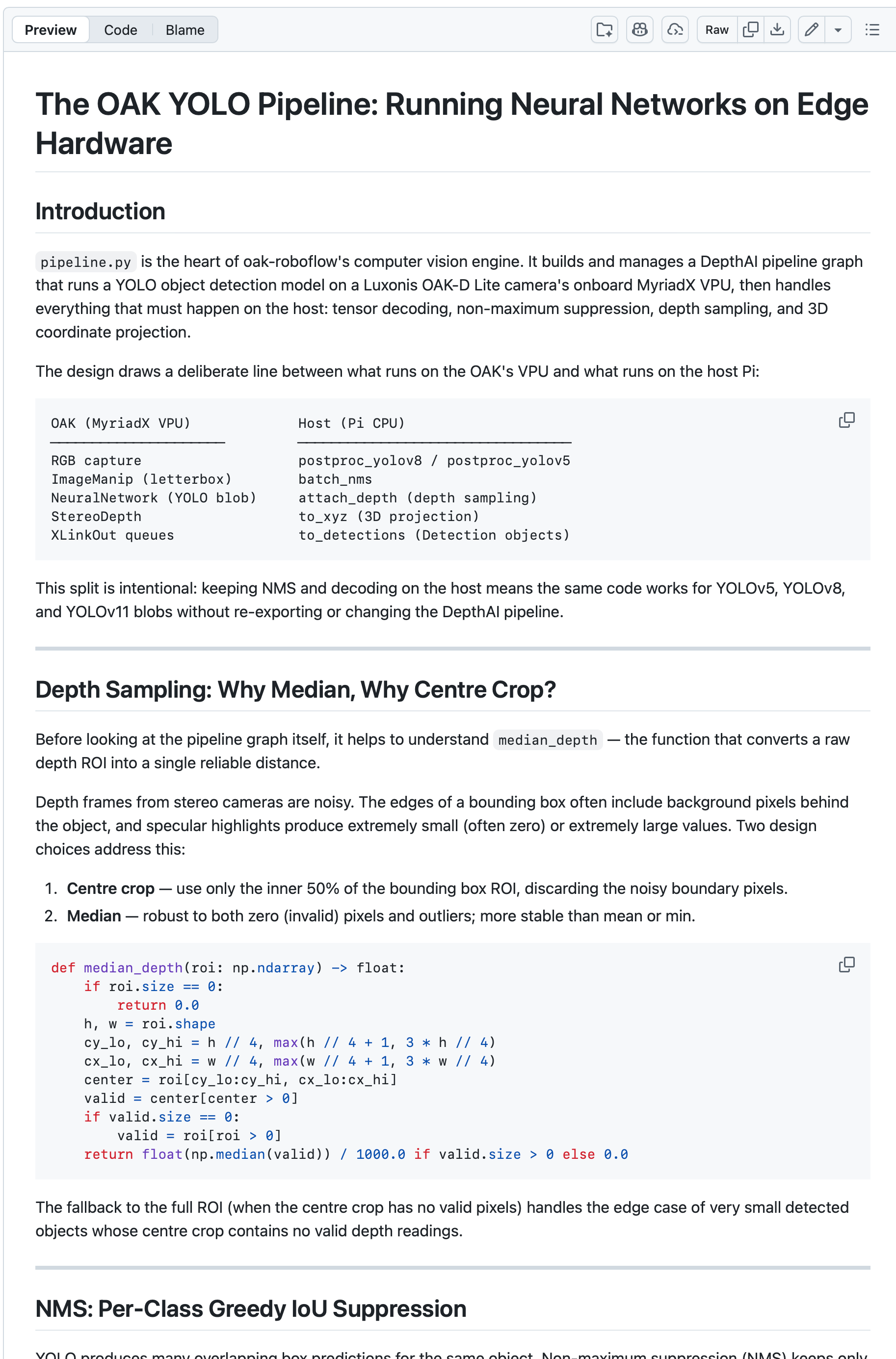
If I ask Claude to follow my long prompt about creating literate programs, it comes up with this. As you can see, it looks like the start of a very good tutorial on using this camera and this package.
As you can see there is a higher level explanation of the overall structure of this module in the context of the system. It then explains what parts of the algorithm are performed onboard the OAK GPU and what runs on the Rasberry Pi 5.
Next it explains the purpose of the median_depth function. But more than that it explains why this is better than a simple average to come up with a reasonable estimate of the depth (distance from the camera) of the pixels in the rectangle.
There is more that could be explained and if I want that I can ask Claude for example to justify obscure lines like cx_lo, cx_hi = w // 4, max (w / / 4 + 1, 3 * w // 4)